With recurring orders you can charge your customers automatically through payment cards (e.g. Visa or Mastercard) at predefined intervals. Recurring orders work as follows:
- A recurring order is created in Paylink
- Schedule and expiry is set for the order
- Recurring orders can also be created through product payment links
- Payment request is sent to the customer via email
- The email will have details about the subscription
- Customer will proceed to pay and fill in the card details
- The payment card will be tokenized which is used to charge the card
- Card details will be securely stored with Paytrail according to the PCI DSS standard
- Paylink charges the card automatically according to the schedule
- The vendor will receive a payment notification and the customer will receive a receipt
- Recurring order can be active until further notice or fixed-term
Activate recurring orders
Recurring orders have to be activated in Paytrail merchant panel. Activation is done at Payment methods > Credit card payments > Stored card payments:
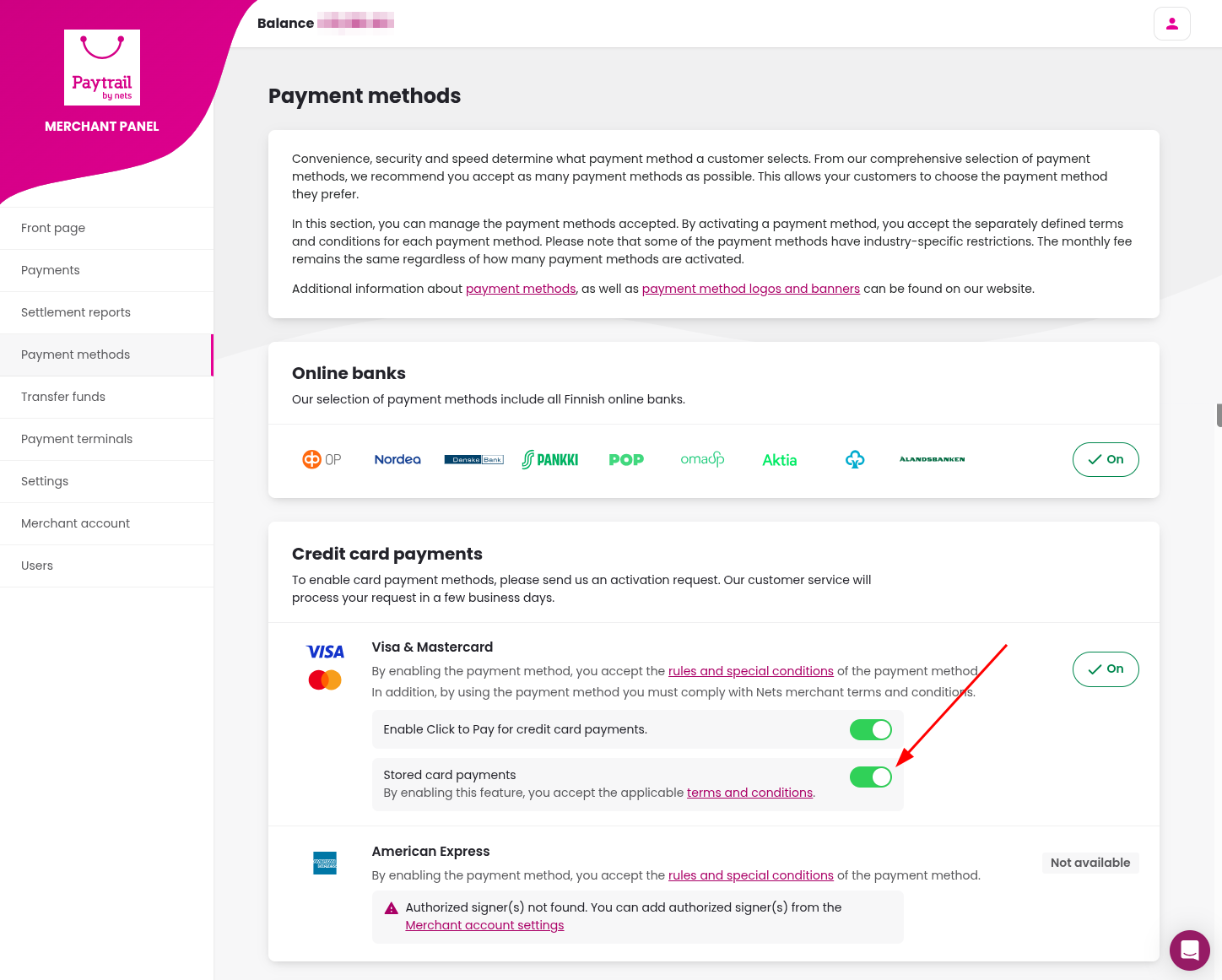
Once you have activated stored card payments, you can create recurring orders in Paylink.
Create recurring orders
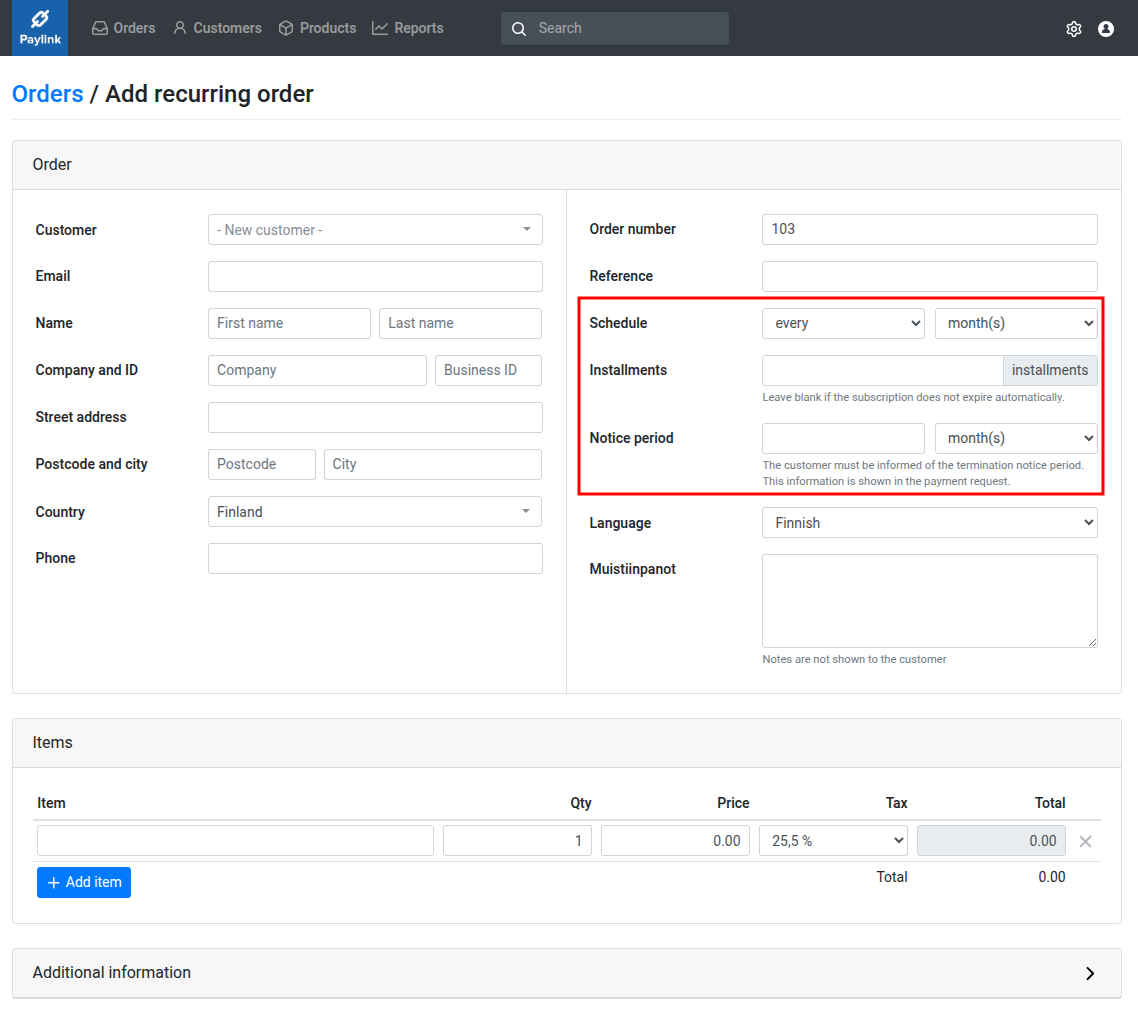
Recurring orders have the following additional details:
- Schedule
- You can define schedule flexibly, for example once per month, once per year or every two weeks
- Expiry
- Order can be recurring until further notice or fixed-term
- Notice period
- Customer has to be informed about the termination notice period according to the consumer protection laws. This information will be displayed in the payment request.
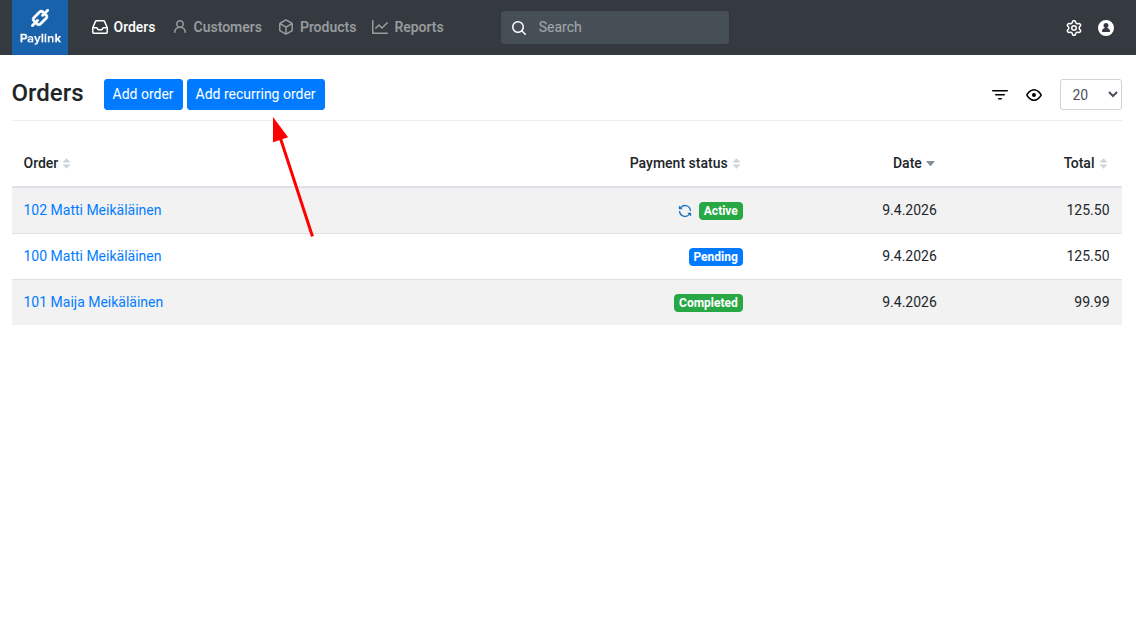
1) Recurring order is created by clicking Add recurring order:
2) Schedule, expiry and notice period is set for the order:
3) Payment request is sent to the customer:
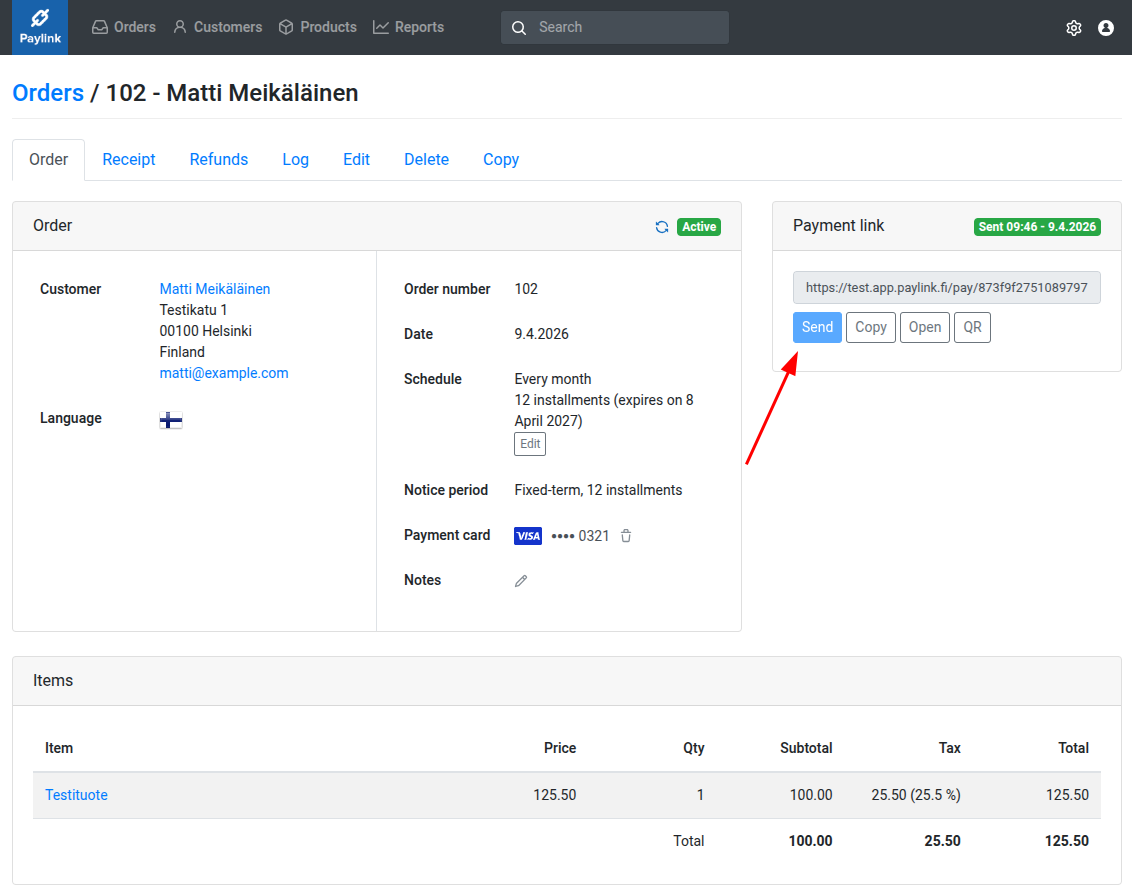
4) Once the customer has paid for the order, the merchant will be sent a notification and the customer will receive a receipt. Upcoming payments will be automatically charged according to the schedule.
Please note that if the original payment date is the last day of the month and payments are charged monthly, upcoming charges will be done at the end of the month. This means that the payment interval will be 28 – 31 days. For example, if the payment date was 31st December, the next payment dates will be:
- 31st January
- 28th February
- 31st March
Manage recurring orders
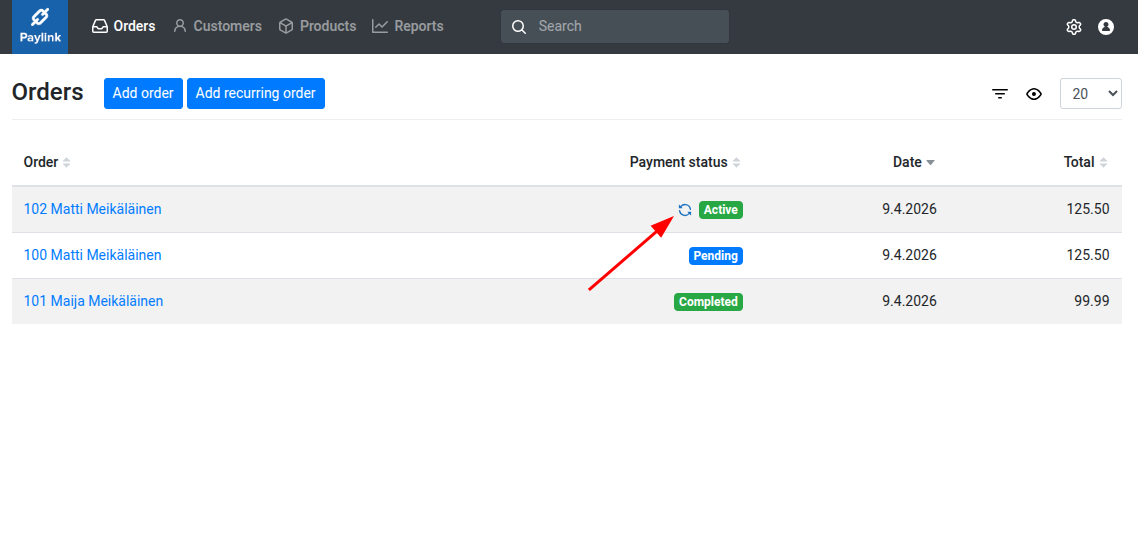
Recurring orders will appear in the order listing alongside regular orders. They can be identified by the recurring order icon:
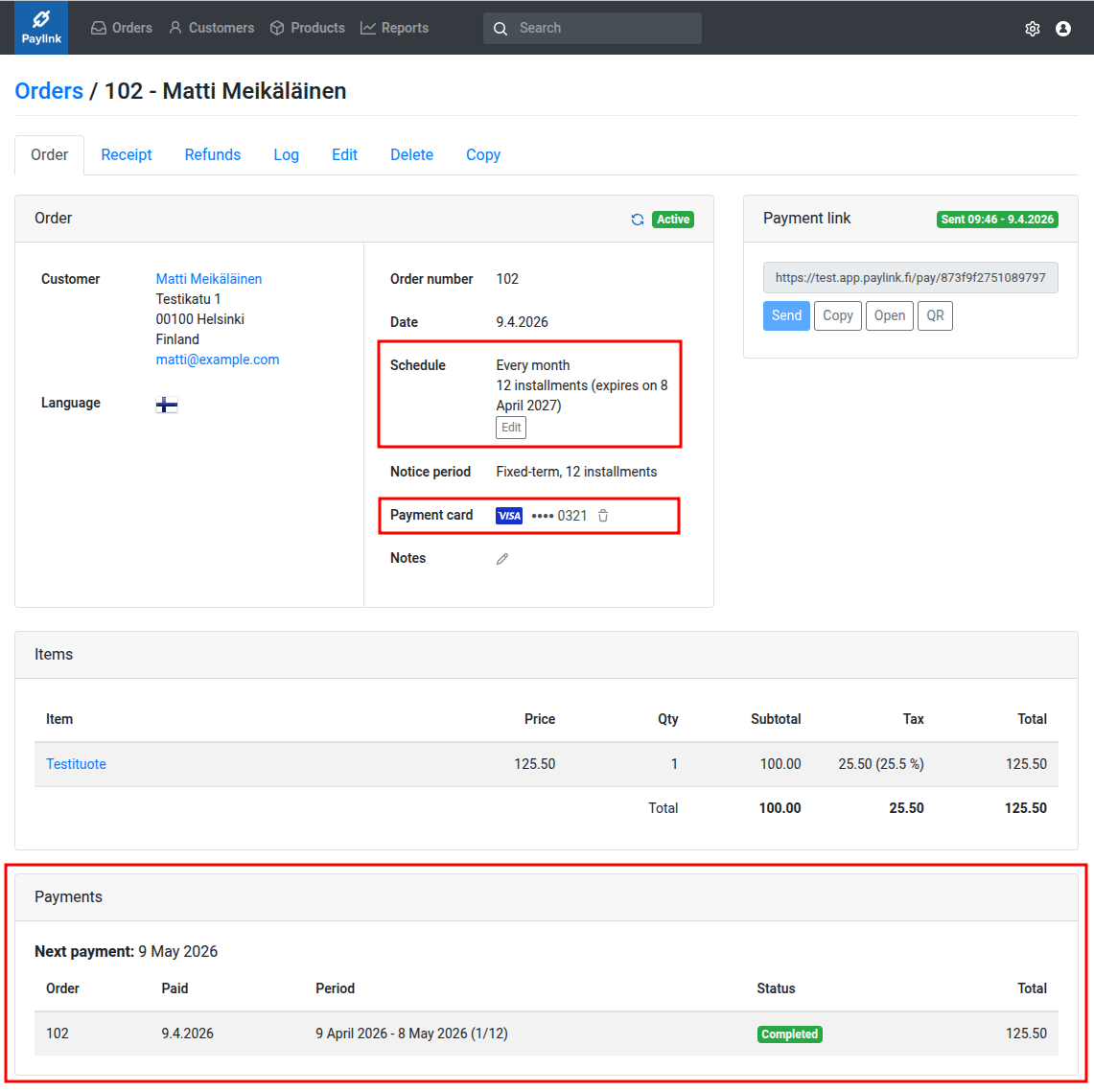
All previous charges and the next payment date will be shown for the recurring order. The following actions are also available:
- Canceling the order
- Expiry date can be set for the order. If the next payment would be on or after the expiry date, it won’t be charged
- Deleting payment card
- Once the payment card is deleted, the customer will be sent a request to update the payment card upon the next payment. This feature can be used if the customer wishes to update their card.
Failed payments
The payment will be retried once in a few hours if the automatic charge fails. If the retry fails as well, the customer will be sent a payment request. The failed payments will be displayed under Payments for the order.